
Office Dashboard Overview
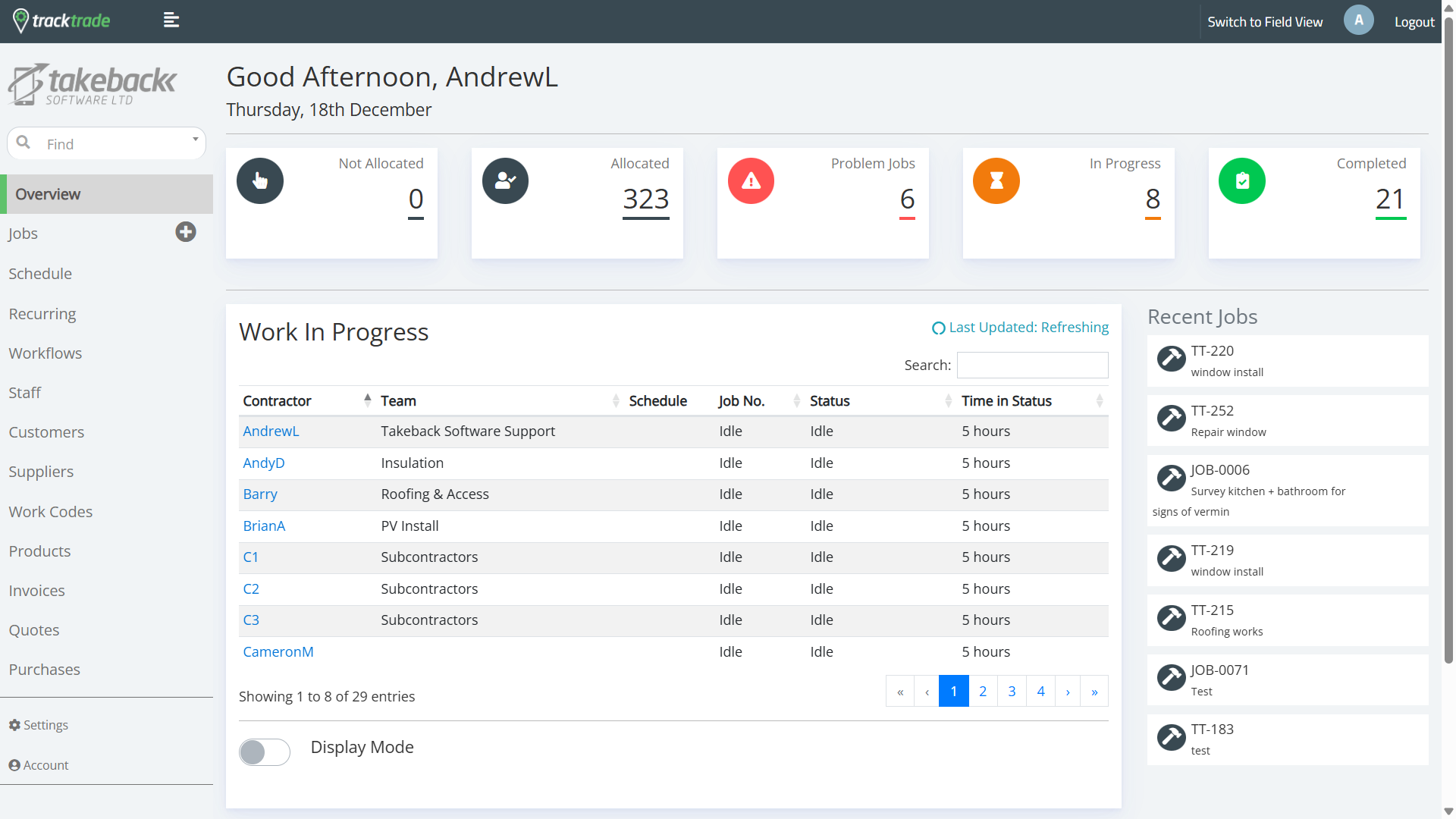
Welcome to the Overview page where you can view key jobs information at a glance.
Along the top are 5 bins that all your Jobs are currently sorted into.
- Not Allocated - Jobs that do not have Staff yet allocated to them.
- Allocated - Jobs that do have Staff allocated to them but have not been started.
- Problem Jobs - Active Jobs that have hit a snag and require your attention.
- In Progress - Active Jobs.
- Completed - Jobs that are complete.
In the centre is a live list of all Field Staff members who are currently active on a Job or have been active today.
On the right is a list of Jobs that have recently updated their status.
At the bottom is a Display Mode toggle which lets you full screen the page and looks great on big screens!
