How To Record A Signature On Site
This guide shows you how to record a signature while out on a Job site.
Prerequisites
You are logged in.
You must have already started and travelled to a Job.
- Bring up the TrackTrade app on your device. You should be brought to your Current Job page.
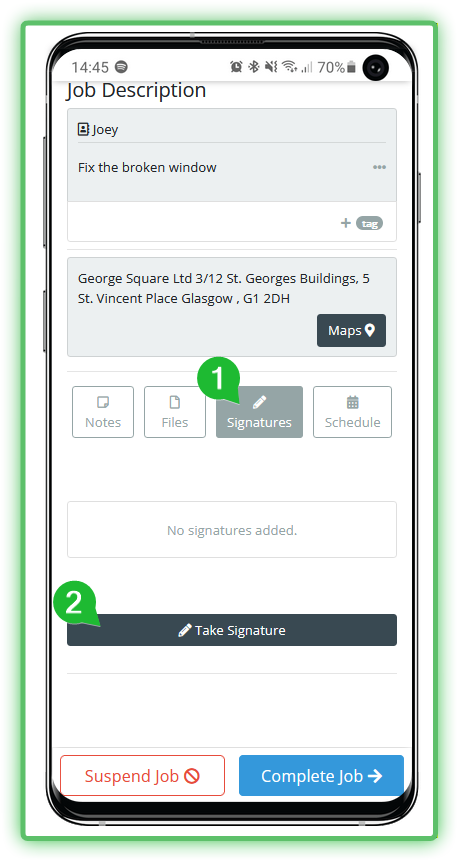
- You should be on the Details section by default. Scroll down, tap Signatures then Take Signature.
- Fill in the form as appropriate. You must provide the signatory's name, their signature and the reason for it. The signature is recorded directly in the signing box using your device's touchscreen.
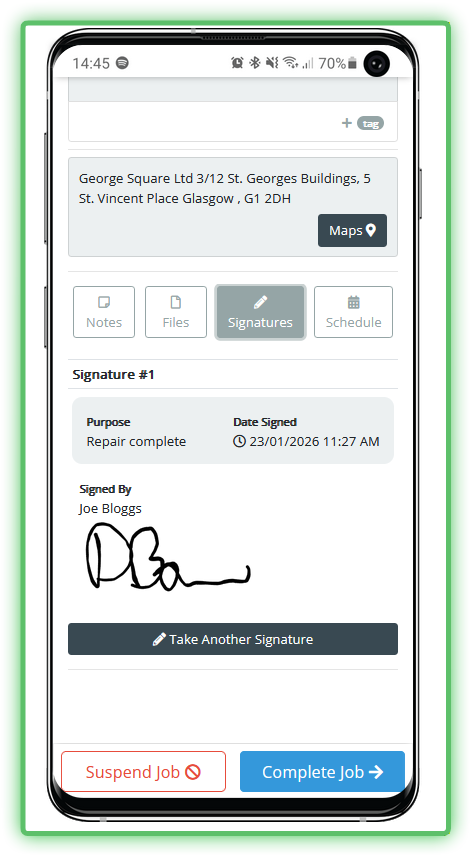
- Once you are sure about the details then select Add Signature and it will now be attached to this Job. This cannot be undone without contacting your office so be sure everything is correct.