
How to Flag up Problems during a Job
Many problems can occur during a Job that require office intervention and TrackTrade supports this form of messaging.
What kind of things are problems?
It could be that you travel to the job site only to find that there is no one to give you access.
When ssues like this occur you can quickly let your office know by raising the flag in the app.
- Open up the app and double-check that you are on the Job that you are having a problem with. Select the Suspend Job button at the bottom of the screen.

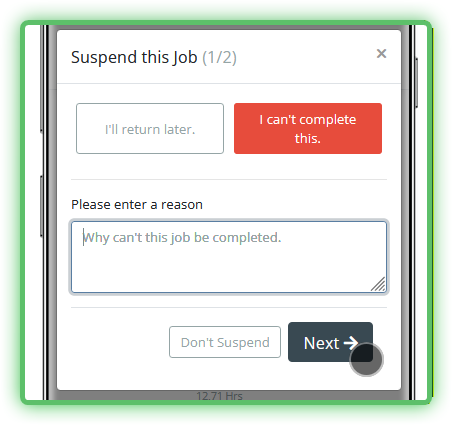
- Select I can't complete this on the right of the popup window.
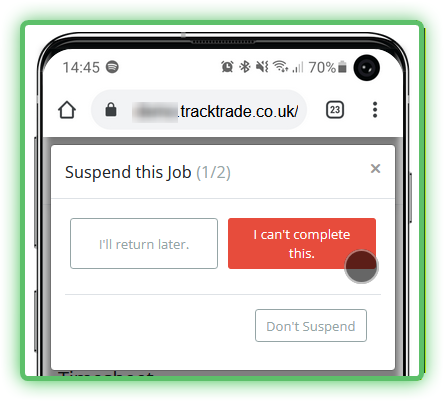
- A text box will appear allowing you to enter a description of the issue. This description will be sent to the office. When done, press the Next button.
- Just like when you complete a Job fully, you will be asked finally to confirm the current hours you have worked so far are accurate. Ensure they are correct then hit Suspend this Visit and Confirm.
Once you confirm this action then you cannot return to this Job without office intervention so be sure this is what you want to do before proceeding.

Done! You will now be returned to the Jobs list on the homepage and the problematic Job will be gone until your office handles it.