Recurring Jobs & Recurring Visits
Jobs are super handy but we know that often there's going to be Jobs that repeat on a regular basis. You could fire up a fresh Job every time but that's a pain so instead we wanted to highlight our Recurring Jobs and Visits feature so you only need to set it up once.
Recurring Jobs
Recurring Jobs live in the Recurring section of the sidebar.
A Recurring Job creates Jobs according to the rules you set. You can have them be weekly or monthly or on a day or days each week. You can set them to be within any date range you choose, e.g. Every Thursday between today and next month or only Mondays and Fridays starting next month for the following 6 months. Whatever suits your needs.
Hitting New Recurring Job brings up the creation form.
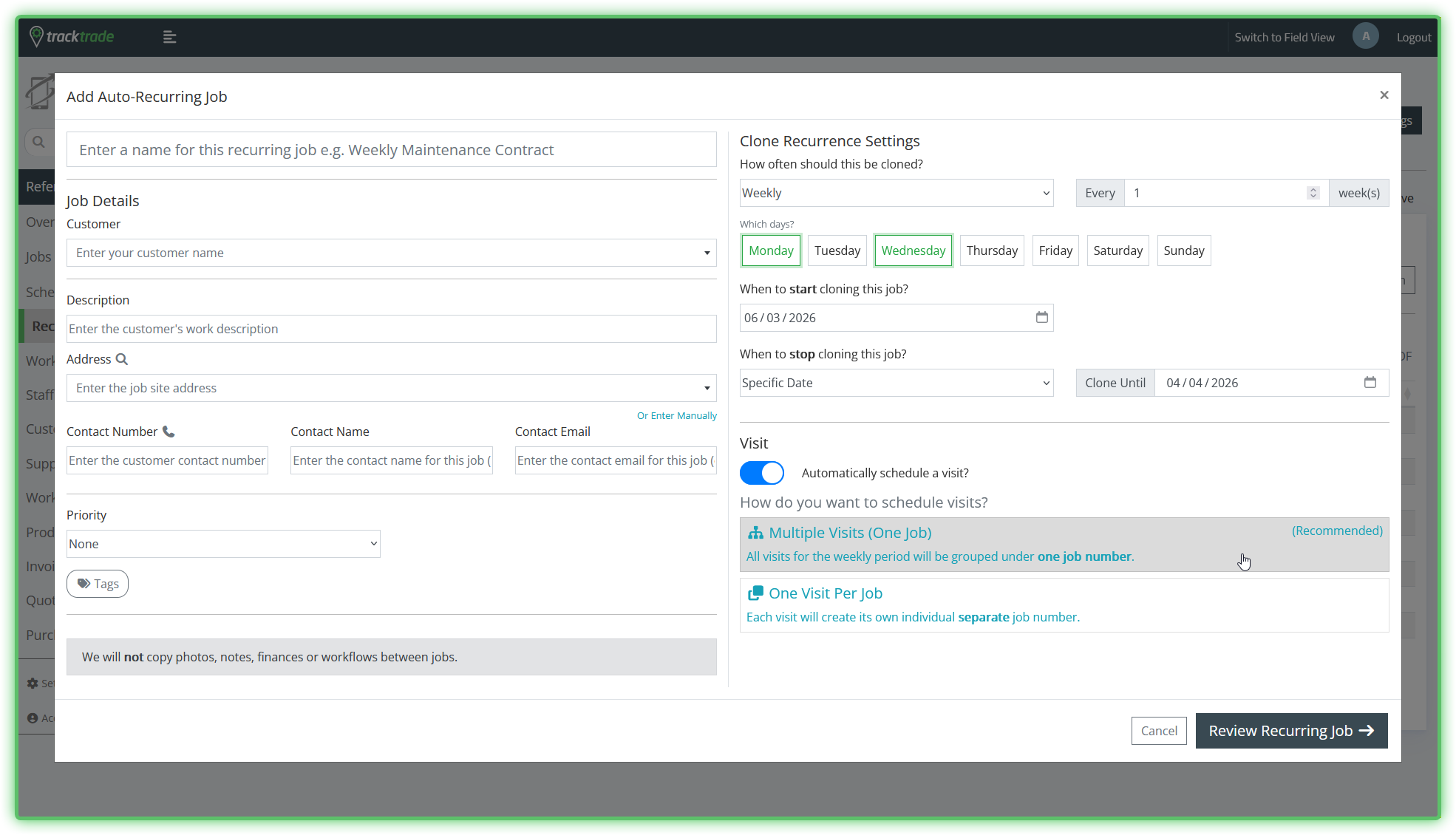
Most of the form is fairly straightforward. The main section of note is the right-hand section here where you have multiple ways to set the timeframe of your Jobs. We recommend playing around with them to get a feel of what you can do with it.
If you optionally choose to set Visits too while here then there 2 options for doing this. The default and recommended one is group all Visits in a period of one week under a single Job. This reduces clutter and server load. However, this may not work for your specific scenario so you can also choose to associate each Visit with a separate Job instead.
A Recurring Job can be in two states: Active or Completed.
Active means that it is still cloning the Jobs set under its own rules. TrackTrade has a few soft limits in place to prevent anyone accidentally spawning thousands of Jobs which could overwhelm the system and cause major clutter. It is common for a Recurring Job to be held in Active state by these limits waiting for time to pass before cloning in the next Jobs.
Completed means that it is done cloning Jobs but it does not mean that the Jobs it cloned are done, they now live seperately in the Jobs section.
Recurring Visits
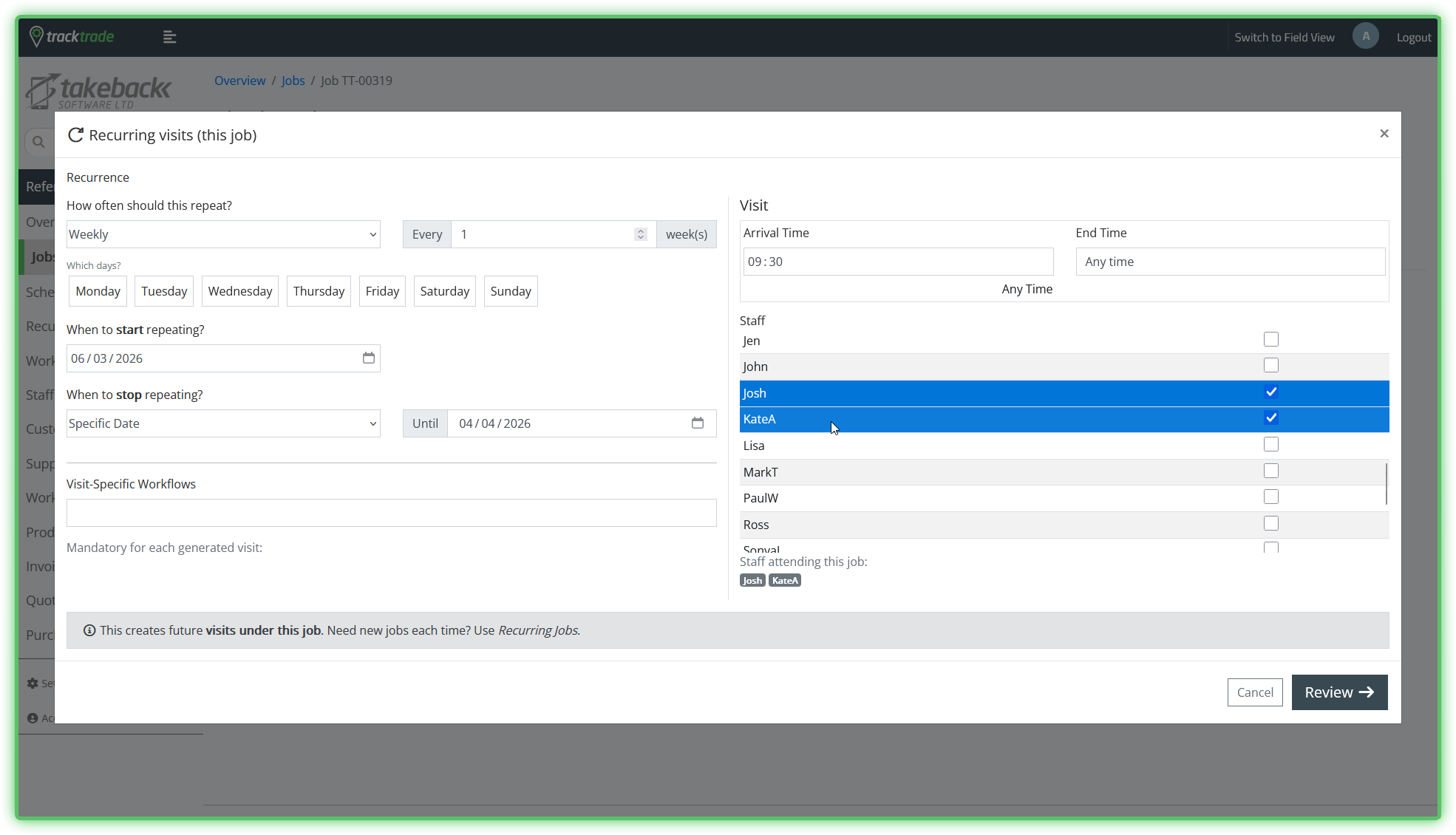
Recurring Visits can be found within an existing Job by going to a Job's profile then Visits then Recurring. Again this can be very useful when you know in advance that a Visit within a Job is going to be repeated with the same details and same allocated Staff.
Hit Repeat on this page to bring up similar looking form to the above.